
How Long Do Garage Door Opener Batteries Really Last and How Can You Fix Electrical Problems?
If your garage door has suddenly stopped working, a weak battery or a tricky electrical fault is likely the cause. I will show you exactly how to test for these problems and get your door moving again.
This article provides clear, shop-tested steps for battery lifespan expectations, the unmistakable signs of a bad battery, a straightforward electrical troubleshooting process, and reliable maintenance practices.
My guidance comes from over ten years of hands-on work installing and repairing garage door systems in homes just like yours.
Is Your Garage Door Opener Acting Up? Start Here.
When your door won’t listen, your first job is to play detective. Is it a simple dead battery, or is there a deeper electrical gremlin at work? The symptoms can feel similar, but a quick check of your controls points you in the right direction.
The first sign of a dying battery is inconsistency. Your remote might work from three feet away but not from your car. The wireless keypad might take several tries to register your code. A true electrical fault, like a bad wire or a failing logic board, usually causes a complete and total failure of one component.
Before you call for service or start taking things apart, run through this simple checklist. I always tell homeowners to check the easy stuff first-it saves time and money.
- Test the Remote: Press the button while standing right next to the opener motor. If it works here but not from your driveway, the battery is almost certainly weak.
- Test the Wall Console: Press the button on the hardwired wall control inside your garage. If this works every time but your remote doesn’t, you’ve isolated the problem to the remote or its signal, not the main opener.
- Test the External Keypad: Enter your code. No response? First, find out if it’s battery-powered or hardwired. This is a key diagnostic step many miss. Look for a battery compartment on the back. If it has one, change those batteries. If it’s hardwired and dead, you likely have a wire issue.
So, is it the battery or the wiring? That simple three-point test usually gives you the answer. If the hardwired controls work and only the wireless ones fail, you’re almost always looking at a battery issue. If nothing works, or the motor unit seems dead, then you’re likely dealing with an electrical fault that needs a pro’s attention.
Battery Lifespan: What to Expect and Why
How long do garage door opener batteries last? For a standard remote, expect 1 to 2 years from a quality alkaline battery. The keypads mounted outside eat through batteries a bit faster, often lasting about a year, because they’re constantly in a “listen” mode for your code.
That lifespan isn’t a guarantee; it’s a guideline heavily influenced by three factors. In my experience, the biggest killer is climate. Extreme heat in an uninsulated garage cooks batteries and cuts their life in half. How often you use the remote matters-a busy family will replace batteries more often than a single homeowner. Finally, battery quality is real. I’ve seen no-name brands die in 6 months, while a Duracell or Energizer keeps going.
You have a choice in battery type, and it makes a difference. Here’s my shop-tested comparison:
- Standard Alkaline (Like Duracell Coppertop): The reliable workhorse. You get that 1-2 year lifespan at a good price. I use these in most remotes I service.
- Lithium (Like Energizer Ultimate Lithium): More expensive upfront, but they last about 40% longer and handle temperature extremes much better. I recommend these for outdoor keypads, especially in very hot or cold climates.
Log Entry Pro-Tip: The moment you install a new battery, take a permanent marker and write the date right on it. I use a Sharpie and write “JAN 2025.” When the remote acts up, you pull the battery and know exactly how old it is. This simple habit ends the guessing game forever.
The Different Batteries in Your Garage Ecosystem

Let’s break down exactly where you’ll find batteries in your setup. It’s not just the clicker in your car.
Which Parts Actually Have Batteries?
Most garage door systems have three or four separate components that need power.
- The Opener Itself (the motor unit on your ceiling): Modern openers almost always have a backup battery system. This is separate from the house power and kicks in during an outage. Older models might not have one.
- Your Handheld Remotes: These are almost always powered by a small, replaceable battery. You probably have a couple of these floating around.
- The Wireless Keypad Outside: This is the pad on the wall by your garage door where you punch in a code. It runs on batteries and has no direct wire connection to the opener.
- Smartphone-Connected Add-ons: If you have a MyQ hub or similar Wi-Fi bridge to control the door from your phone, it plugs into an outlet but has its own internal backup battery for Wi-Fi during an outage.
Knowing which part is failing saves you from replacing batteries in everything when only one device is the problem.
A Guide to Battery Types and Replacements
Here’s what you’ll typically need for each part. I always keep a couple of each of these on my service truck.
- Handheld Remotes: These most commonly use a standard 9-volt battery or a 12-volt battery (like a 23A or 27A). The rectangular 9V is easy. The 12V looks like a small, thick cylinder. Pop the back cover off to check.
- Wireless Keypads: These almost always use coin cell batteries. The CR2032 is the most common. You’ll find the compartment on the back, usually needing a small screwdriver or coin to twist open.
- Opener Backup Battery: This is a sealed lead-acid battery, very similar to a small motorcycle or UPS battery. Common voltages are 12V or 24V DC. Brands like LiftMaster and Chamberlain often use a specific F2 style battery. When this dies, you replace the entire battery, not individual cells.
Battery Backup vs. Hardwired Systems
Openers come with either a built-in battery backup or are part of a system that’s permanently connected to a larger home backup. Here’s my take from installing hundreds of both. No matter the type, understanding the different battery types can help you maintain them better.
A dedicated battery backup (like the one in your opener) is convenient. The battery sits right in the unit. When the power goes out, it automatically switches on, usually giving you about 20-30 cycles to open and close the door. The downside is the battery wears out every 3-5 years and needs replacing, costing around $40-$80. So, are these backups worth it in real-world use? Keep reading to find out how garage door opener battery backups stack up in value.
A hardwired system means your opener is plugged into a dedicated circuit from a whole-house generator or a large inverter system. The big pro is you never think about it; when the generator runs, the garage works. The con is the much higher upfront cost and installation complexity.
For most homes, the integrated opener battery is plenty. I recommend testing it twice a year. Just unplug the opener from the wall and press the wall button. If the door moves, the battery works.
Finding the Battery Compartment
If you can find the batteries in a TV remote, you can find them here. The concept is identical.
For remotes and keypads, look for a seam along the edge of the plastic case. Sometimes there’s a tiny slot for a flathead screwdriver. For the keypad, you might need to slide the whole faceplate up and off the mounting bracket first. The backup battery in the motor unit is always behind a clearly marked, removable panel on the side or end of the unit. It often has a diagram right on it. Always disconnect the opener from power at the wall outlet before opening this panel. I use a voltage tester from Klein Tools to double-check wires are dead, a habit that’s saved me from more than one surprise.
The Gearhead’s Checklist for Battery Jobs
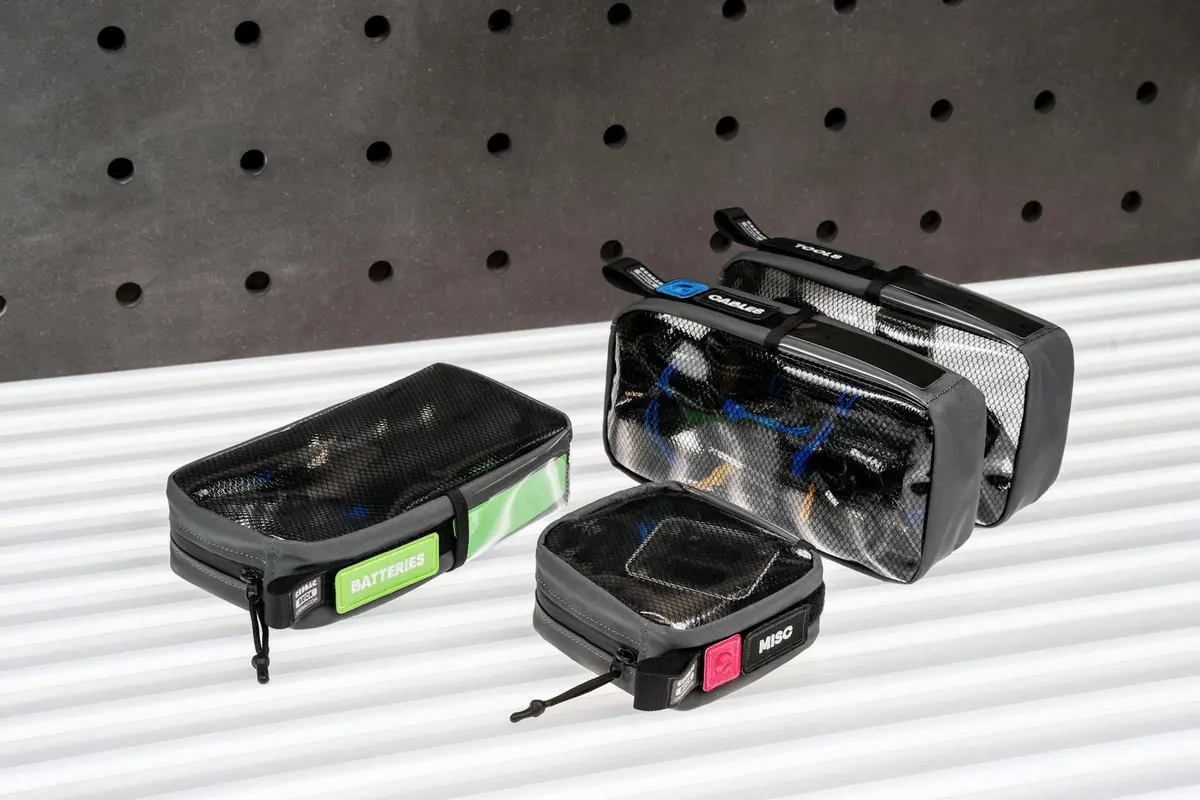
Before you even think about poking around, get your gear together. I keep all this in one dedicated tool pouch for garage door jobs. Having it ready saves a ton of time.
Your Tools & Materials
This isn’t a complex job, but having the right stuff makes it smooth. Here’s exactly what you’ll need on your workbench.
- A #2 Phillips screwdriver. This fits 95% of remote and wall console screws. I keep a Milwaukee hard handle in my kit-it’s durable and the grip is great.
- A small flathead screwdriver. Sometimes you need to pry a plastic casing open gently. A 1/4-inch wide head is perfect.
- Fresh batteries. For standard remotes, that’s usually a 9-volt or a pair of AAAs. I always use Duracell or Energizer. The generic ones seem to drain faster in my experience, especially in colder garage temps.
- A good flashlight or a headlamp. You’ll be looking into dark battery compartments and up at the motor unit. I use a Coast headlamp so my hands stay free.
Non-Negotiable Safety Gear
This part is not optional. Garage door openers have springs under high tension and you’ll be handling batteries that can leak.
- Safety glasses. Wear them when you’re looking up at the opener unit mounted on the ceiling. Dust and tiny debris can fall into your eyes.
- A pair of nitrile gloves. Old batteries can leak potassium hydroxide, a corrosive liquid. The gloves keep it off your skin. They also keep oil from your fingers off the new battery contacts, which can cause corrosion over time.
A Pro Tip for Next Time
When you buy batteries for this job, grab an extra pack and put it in a drawer in your garage. Label it “Garage Door.” The next time your remote dies, you won’t be scrambling. I can’t tell you how many service calls I’ve made where the problem was just dead batteries, and the homeowner had none in the house. It’s especially frustrating if you haven’t replaced your old garage door opener remote in a while.
Swapping Batteries: A Safe, Simple Procedure
Replacing these batteries is one of the simplest fixes in garage maintenance. I keep a fresh pack of lithium AA and 9-volt batteries in my shop drawer just for this. Let’s walk through each device.
For Wall-Mounted Keypads and Handheld Remotes
These use standard batteries and are nearly identical to change. You’ll usually need a small Phillips screwdriver.
- Find the battery compartment cover on the back of the device.
- Remove the screw holding the cover in place. Set it somewhere safe, like a small bowl.
- Gently lift off the cover and note how the old batteries are positioned. Pay close attention to the plus (+) and minus (-) signs printed inside the compartment.
- Remove all old batteries. This is non-negotiable.
- Insert new batteries of the exact same type, matching the polarity precisely.
- Snap the cover back on and tighten the screw. Don’t overtighten it, as you can strip the plastic threads.
For the Garage Door Opener Backup Battery Unit
This is a sealed lead-acid battery, similar to a small motorcycle battery. It’s located in a compartment on the side or top of your opener motor unit. Always disconnect the opener from its wall power before servicing the backup battery. Unplug it or turn off the dedicated circuit breaker.
- Locate the battery access panel on your opener and remove it. It may be held by clips or a couple of screws.
- You’ll see the rectangular battery with two wires connected via terminal connectors.
- Disconnect the wires. They are often tight; I use a pair of needle-nose pliers to gently wiggle and pull the connectors straight off the battery posts.
- Lift the old battery out. Note its orientation.
- Place the new battery in the same position and reconnect the wires, ensuring a snug fit on the posts.
- Replace the access panel and restore power to the opener.
Checking for and Cleaning Corrosion
Every time you open a battery compartment, take a five-second look at the metal contact points. If you see a white or bluish-green crusty powder, that’s corrosion.
Corrosion can prevent a fresh battery from making a good electrical connection, making you think the device is broken. Cleaning it is easy. I use white vinegar on a cotton swab. The mild acid dissolves the corrosion without damaging the contacts. Dab it on, let it fizz for a moment, then wipe it clean with a dry part of the swab. For heavier buildup, a very light scrub with a pencil eraser works well. Always let the contacts dry completely before installing new batteries.
A Critical Rule: Never Mix and Match
This is a fundamental rule I’ve learned the hard way. Always replace all batteries in a device at the same time, and always use batteries of the same brand and type (e.g., all Energizer Lithium AA). Mixing an old, weak battery with a new one forces the new battery to compensate, draining it faster and potentially causing it to leak. Mixing alkaline with lithium or different brands can also create uneven power discharge, leading to premature failure. When you’re done, recycle the old ones at your local hardware store.
Electrical Gremlins: How to Track Them Down
When your garage door opener stops responding, it’s easy to assume the worst. Most of the time, the fix is simpler than you think. I always follow the same logical flow of checks I use in the field. We’ll start with the simplest, most common culprits and work our way to the more involved tests. This approach is similar to fixing common garage door problems.
Step 1: The Power Source (Breaker & Outlet)
Your opener needs electricity, so start at the source. I’ve lost count of how many “dead” openers I’ve fixed by simply flipping a switch.
- First, go to your home’s main electrical panel. Look for the breaker labeled “Garage” or “Garage Door.” If it’s tripped (it will be in a middle position, not fully ON or OFF), flip it completely OFF, then back to ON.
- Next, check the outlet the opener is plugged into. It’s often a dedicated outlet on the ceiling. Plug a lamp or phone charger into it to confirm it’s live. If it’s controlled by a light switch on the wall, make sure that switch is in the ON position.
This basic two-minute check solves more problems than any other single step.
Step 2: Inspect the Visible Wiring
If the power is good, the issue might be a poor connection. If your Genie garage door opener isn’t working, start by checking the visible wiring. With the opener unplugged, take a look at the wiring you can see.
- At the back of the opener unit, check where the power cord enters. Gently wiggle the cord where it meets the plug-if it’s loose or cracked, that’s your problem.
- Look at the wire connections on the opener itself, especially the terminals where the wires from the wall control and safety sensors attach. Use a pair of needle-nose pliers to gently-and I mean gently-tug on each wire. They should not pull out. If one is loose, tighten its screw terminal.
- Follow the safety sensor wires from the opener down to the sensors on the garage door track. Look for any obvious pinches, cuts, or places where a rodent may have chewed through the insulation.
Step 3: Testing Components with a Multimeter
This step is for if you’re comfortable with basic tools. A multimeter is the only way to know for sure if a component has failed. I keep a Klein Tools MM300 in my truck; it’s affordable and perfect for these jobs.
Testing the Wall Control: First, unplug the opener for safety. Disconnect the two low-voltage wires from their terminals on the opener (often labeled “Wall Control”). Set your multimeter to test for continuity (it usually looks like a sound wave symbol). Touch one probe to each wire. Now, press the button on the wall control. If the multimeter beeps or shows a reading, the button and its wiring are good. No beep means the wall control is bad.
Testing the Safety Sensors: These are the most common failure point after the battery. Unplug the opener. Disconnect the two wires for one sensor at the opener. Set your multimeter to test the DC voltage (V with a straight line). Plug the opener back in. Touch the probes to the two terminals on the opener where the sensor wires were. You should get a reading, usually between 5 and 12 volts DC. If you get no voltage here, the opener’s internal board may be faulty. If you get voltage, the issue is likely in the sensor eye or its wire.
Step 4: The Wireless Keypad After a Power Outage
This is a specific but very common headache. Garage door keypads are wireless, but they have a small internal battery backup to save their memory. That battery lasts 5-10 years.
After a long power outage, if your keypad stops working but your remotes still work, the keypad’s backup battery has likely died and it has “forgotten” its code. You’ll need to reprogram it.
The process is always similar:
- Locate the “Learn” button on your garage door opener motor unit. It’s usually colored (yellow, purple, orange) and near the light lens.
- Press and release the Learn button. The unit’s light will typically blink or turn on.
- Within 30 seconds, enter your new 4-digit PIN on the keypad and press the “Enter” (or arrow) button. The opener light should flash or you’ll hear a click.
I always take a photo of the reprogramming instructions sticker on the opener with my phone. If reprogramming doesn’t work, the keypad’s internal battery is completely dead and the unit itself needs replacement. I’ve installed dozens of LiftMaster 878MAX keypads for clients in this situation; they’re reliable and the lithium battery lasts.
Your Safety Kit for Garage Door DIY

Working on your garage door system means working with electricity, heavy springs, and a door that can weigh hundreds of pounds. I treat every job like it’s the first one, because getting complacent is how accidents happen. Before you touch a single wire or screw, you must follow these three non-negotiable safety steps.
First, disconnect the power. Don’t just flip the wall switch. Find the dedicated outlet your opener is plugged into and unplug it. If it’s hardwired, you need to go to your main electrical panel and switch off the correct circuit breaker. I keep a small piece of painter’s tape in my kit to label the breaker so no one flips it back on while I’m working.
Second, engage the manual release and secure the door. Pull the red cord hanging from your opener’s trolley to disconnect it. Once the door is free, lower it all the way down by hand. Now, take a sturdy c-clamp and clamp the track just below the bottom roller on each side of the door. This physically prevents the door from lifting, so there’s zero chance of it falling while you have your hands inside the mechanism.
Third, keep everyone else away. Tell your family you’re working on the garage door and that the area is off-limits. This isn’t just for their safety, but so you can work without distraction. A moment of surprise can lead to a serious mistake.
I’ve seen people try to “test” a problem by taping the safety sensor eyes together or holding the wall button down to force a stuck door. Never do this. Those sensors are there for a critical reason: to stop the door if a child, pet, or object is in the way. Forcing a door that’s binding can shred rollers, break cables, or cause a spring to snap violently. If the door won’t move correctly, that’s your sign to stop troubleshooting and investigate the root cause.
Log Entry: Early in my career, I got a call for a dead opener. The homeowner had already checked the breaker and said it was off. Out of habit, I pulled out my Klein Tools NCVT-1 non-contact voltage tester. When I held it near the opener’s wiring, it lit up and beeped. The breaker was mislabeled. Always double-check that wires are dead with a reliable voltage tester before you touch them. That $20 tool taught me a lesson that’s kept me safe for twenty years. I don’t start any electrical work without it.
When to Hand It Over to a Professional
Most battery and simple electrical issues you can handle yourself. But some problems are red flags telling you to step back. I’ve learned to spot these signals quickly.
A loud, persistent buzzing from the opener motor is a major warning sign that the internal components are struggling, and continued use can cause a complete burnout. If you see any fraying or damage to the main power line running to your opener unit, do not touch it. That 120-volt household current is dangerous. For persistent electrical faults where the door acts erratically even after a full system reset, the problem is often deeper in the circuitry.
My rule is simple: if the basic troubleshooting steps fail, or if you feel any uncertainty about handling wires connected to your house power, call a professional. Issues with hard-wired wall consoles or the opener’s main logic board almost always need an expert with the right tools and diagrams to diagnose safely.
Maintenance & Cleaning Routine for Reliable Operation
A little routine care prevents most headaches. I set a reminder on my phone to do this quick seasonal check.
- Test the backup battery by unplugging the opener and pressing the wall button.
- For chain or belt-drive openers, apply a light machine oil, like 3-IN-ONE, to the chain and a white lithium grease to the screw-drive rail if your model has one. Avoid over-greasing.
- Wipe the safety sensor eyes on each side of the door with a dry cloth. Spider webs and dust here are the number one cause of sensor errors.
The easiest habit is to check every battery in your system-remotes, keypads, backup-twice a year when you change your clocks for daylight saving. Just pop them out and look for corrosion or use a basic multimeter to check voltage. Finally, every few months, use the soft brush attachment on your vacuum to gently remove dust from the opener unit’s vents. Keeping it clean helps prevent overheating.
The Real Cost of Ignoring the Problem
A pack of batteries costs less than a large pizza. A new garage door opener, with professional installation, can cost hundreds. That’s the simplest cost comparison, but the real expense is often inconvenience or risk, especially when batteries in your garage door opener remote die unexpectedly.
I once got a frantic call from a homeowner whose car was trapped inside. Their wireless keypad had been acting sluggish for weeks, but they kept just pressing harder. The 9V battery died completely one morning, the interior wall button was broken, and they had no spare remote. They paid a premium for an emergency weekend service call to get their door open, a situation entirely avoided by a $5 battery change.
Regular five-minute checks are the cheapest maintenance you can do. Ignoring small warnings turns them into big, expensive problems, often at the worst possible time. A working door is a safe door, and that’s worth the minor effort.
Garage Door Batteries & Electrical Issues: Your Quick Questions Answered
So, do garage door batteries really last 1-2 years?
That’s the general guideline for a quality alkaline battery in a standard remote, but it’s not a guarantee. Your actual lifespan depends heavily on climate extremes, usage frequency, and battery quality. My pro tip is to write the install date on every new battery with a Sharpie-this ends the guessing game for good.
Could I be replacing batteries when the problem is actually electrical?
Yes, and it’s a common mistake. First, isolate the issue: if your hardwired wall control works perfectly but your remotes are inconsistent, it’s almost always a battery problem. If nothing works-no remotes, no wall button-you’re likely facing an electrical fault that needs further diagnosis.
Is it worth paying more for lithium batteries?
For standard remotes in a climate-controlled garage, a quality alkaline is fine. I recommend investing in lithium batteries for outdoor keypads or in regions with extreme heat or cold, as they last significantly longer and perform better in temperature swings.
My opener has a backup battery. Do I need to manually lock the door during a power outage?
No, that’s the point of the backup. It should provide enough power for multiple cycles. However, always test this backup twice a year by unplugging the opener and using the wall button. If the door doesn’t operate, plan to replace that backup battery soon.
My door won’t close and the lights are blinking. Is this a battery or electrical issue?
This is almost never a battery issue. Blinking lights almost always indicate an obstruction or a problem with the safety sensors. Before investigating wiring, clean the sensor lenses with a dry cloth and ensure nothing is blocking their beam. This simple fix solves the majority of these cases.
Maintaining Your Garage Door Opener for the Long Haul
The most reliable garage door system is one you pay attention to before it fails. Staying ahead of battery life and electrical gremlins is a simple habit that prevents the big headache of a door that won’t open. Treat your opener like any other major home appliance: a little routine checkup goes a long way. Keep these points in mind:
- Test all your remotes and keypads at least once a month.
- Inspect the safety sensor alignment and wiring for damage seasonally.
- Replace backup batteries proactively, every 1-2 years, before they die completely.
- When troubleshooting, always disconnect power to the opener unit first.